Introduction
Let me be straight with you.
Businesses drop calls every single day. Rings go unanswered. Leads disappear into a void. And somewhere down the line, that silence costs real money : the kind that quietly bleeds a company dry before anyone notices the wound.
Now picture this instead. A voice system that grabs every single call : day, night, weekend, holiday : talks like an actual person, locks in bookings, answers the common stuff, and doesn't have a bad morning. That's not a fantasy pitch. That's what a well-built AI voice receptionist does in production, right now, in 2026.
I'll be honest about my own history here. When I first got pulled into a voice bot project, I expected a nightmare. The kind of project where every sprint feels like defusing a bomb. And sure : certain corners of it are genuinely rough, especially when you're dealing with real human speech that refuses to follow any script. But once you stop treating it like one giant black box and break it into digestible layers? It clicks. It's just speech recognition feeding into AI logic, which fires off the right backend calls.
In this piece, I'll walk you through the real-world use cases, the actual architecture, what things cost (including the parts people conveniently leave out), and a few developer truths that don't make it into the clean marketing decks.
What is an AI Voice Receptionist?
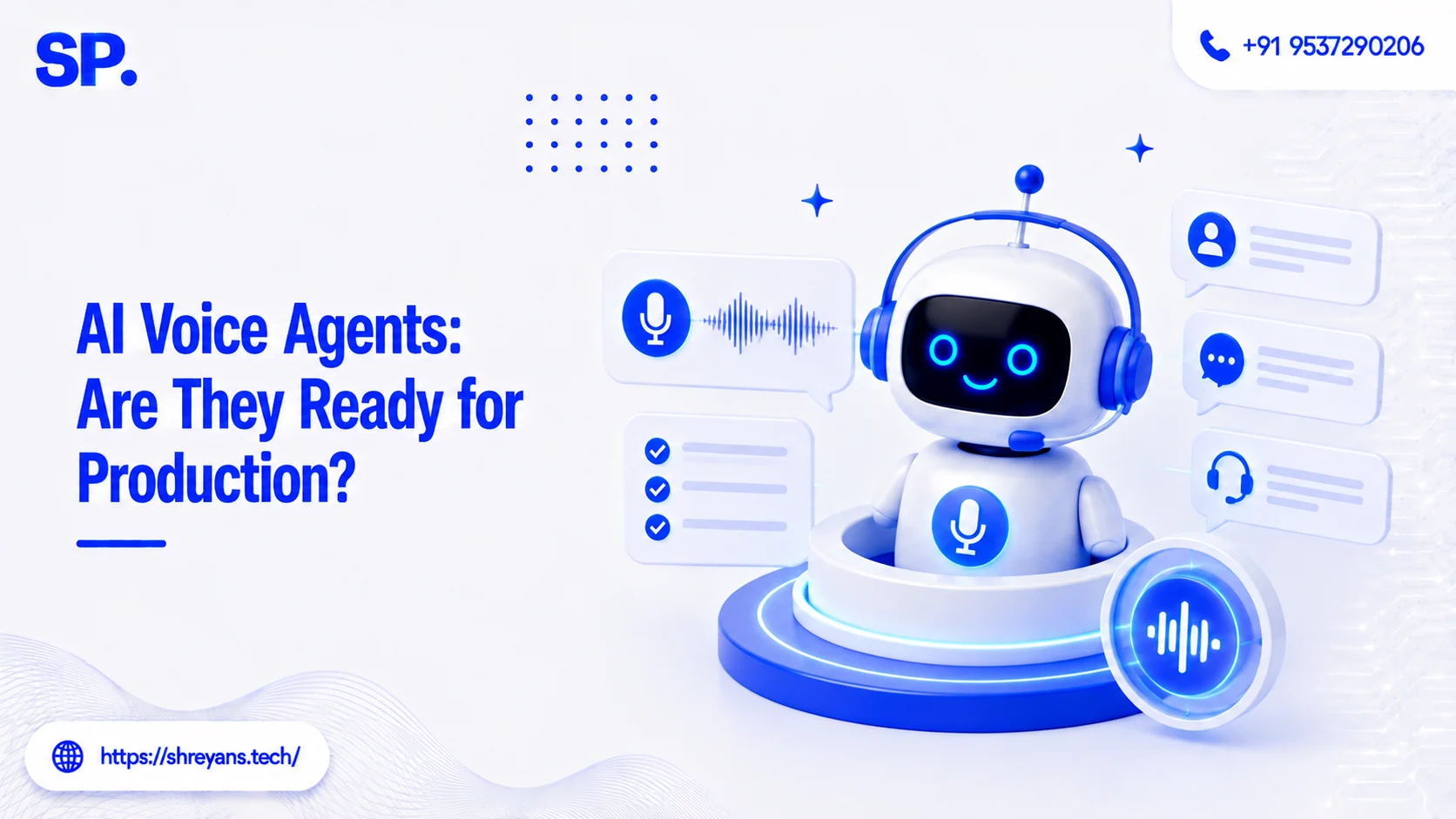
An AI voice receptionist is a phone-based virtual assistant : one that handles incoming calls using artificial intelligence at its core.
Not a glorified voicemail. Not a "press 1 for billing" menu tree. This thing actually thinks.
Here's what it does:
Understands what the caller is saying
The system catches the caller's voice and converts it into text using speech recognition : and not just when people speak slowly and clearly into a headset. Real users mumble. They trail off. They start a sentence and change direction mid-word. A solid STT layer is built to handle that chaos, not crumble under it.
Identifying the intent behind the conversation
Reading words is one thing. Knowing what someone means is another animal entirely. If a caller says "I need to push my appointment to Thursday," the system doesn't just log "Thursday." It understands: reschedule request, appointment context, target day Thursday. That intent layer is what separates a smart system from a transcription bot.
Responds in a natural, human-like way
Nobody wants to talk to a robot that sounds like it's reading from a cereal box. The TTS layer converts the generated response into speech that feels real : natural pacing, proper inflection, none of that hollow digital drone. Get this right and callers don't even clock that it's automated.
Think of it as IVR that actually grew up. The jump from "press 3 for support" to "yeah, let me pull up your account right now" : that's the gap this fills.
Business Use Cases of AI Voice Receptionist
1. Customer Support Automation
Every growing business hits this wall eventually.
The support queue backs up. Staff gets stretched thin. Customers wait. Morale dips. And the whole thing feeds itself in the worst direction. (I've watched this happen at a mid-size SaaS company : the tipping point came during a product launch week. Pure chaos.)
An AI voice receptionist breaks that cycle by doing the heavy lifting on repeat work:
Answers frequently asked questions automatically Hours, pricing, order status, service details : the system fields all of it without pulling a human in. The team gets breathing room. Customers get answers in seconds.
Handles basic customer issues efficiently Simple cancellations, quick bookings, first-level troubleshooting : none of this needs a human on the line. The AI takes it, resolves it, closes it.
Transfers complex cases to human agents when needed Here's where it earns trust. When something's too tangled for automation, the system doesn't fumble around : it flags it and routes the call to a real person. Clean handoff. No repeated explanations from the customer.
Example: An online retailer deploys voice AI to handle order tracking queries. Support tickets drop. Response time flatlines (in a good way).
2. Appointment Booking (Healthcare, Salons, Clinics)
This one's arguably the most satisfying use case to build. Especially for small operations.
Because think about what a clinic or salon actually spends per month on front-desk staff just to answer the phone, check a calendar, and say "you're confirmed for 2pm Tuesday." That's expensive keystrokes.
The AI handles all of it:
Books, reschedules, or cancels appointments automatically The caller says what they need. The system checks availability, makes the change, and confirms : no hold time, no back-and-forth, no dropped calls at 7am when nobody's in the office yet.
Syncs with calendars and CRM systems in real-time It's not working off a static list. The integration pulls live availability, writes directly into the calendar, and updates the CRM simultaneously. Double-bookings become a non-issue.
Real-world insight: A small clinic I came across cut manual call handling by a significant chunk after plugging in a voice assistant : and the staff said they actually felt less fried by noon.
3. Hospitality Industry
Hotels and restaurants live inside a constant phone blitz. Reservations, directions, menu questions, allergy accommodations, "do you have parking" : it never stops.
Takes reservations automatically Date, time, party size : collected and confirmed without a host needing to drop what they're doing and grab the phone mid-service.
Answers common customer questions Availability, menu highlights, pricing tiers, timing details : it's all there, instantly. Callers don't sit on hold listening to elevator jazz.
Provides accurate location details The system can read out directions, share the address, or fire off a location link via SMS right after the call ends. Frictionless.
No wait. No missed reservation. That's a tangible win : especially on a Friday evening when the host stand is already a war zone.
4. Banking and Financial Services
Banks were slower to adopt this. Understandably : the stakes are higher and the compliance overhead is real. But the use cases are solid when implemented with the right guardrails.
Handles account inquiries efficiently Balance checks, recent transactions, account status updates : customers get fast answers without burning time in a queue.
Provides loan-related information clearly: Interest rates, eligibility basics, application status : explained in plain language, not banker-speak, so callers actually walk away informed.
Performs basic customer verification steps OTP confirmation, identity checks, security questions : the system can guide users through structured verification before anything sensitive gets surfaced.
Worth noting: this domain demands airtight authentication and real encryption. Don't cut corners here. Ever.
5. Lead Qualification and Sales
This is where things get genuinely interesting : and where a lot of sales teams are quietly routing budgets.
Ask initial questions to understand the customer "What are you looking for today?" : simple opener, but the answers it unlocks are gold. The system identifies intent early and steers the conversation accordingly.
Collects customer data accurately Name, contact, email, specific needs : gathered mid-call, written to your CRM or database without anyone typing a single thing manually.
Schedules follow-ups automatically Based on what was said and what the lead expressed interest in, the system books a follow-up right there. No lead falls through a crack. No "I'll have someone reach out" that never materializes.
In a lot of setups, this functions as the first layer of the sales funnel : pre-qualifying before a human ever gets involved.
AI Voice Receptionist Technology Architecture
Here's where most developers get a little wide-eyed. Understandably.
But look : if you stop treating it as one monolithic beast and start thinking in layers, the architecture is actually pretty digestible. Five main components. Each one does a specific job. They pass the baton cleanly when built right.
1. Speech-to-Text (STT)
First layer. Converts voice into something the machine can work with.
Google Speech-to-Text for accurate voice recognition Fast, broadly supported, handles different accents without completely falling apart. Works well across languages, which matters the moment your user base isn't homogeneous.
OpenAI Whisper for advanced speech understanding This one is built for the real world : background noise, overlapping conversation, casual speech that doesn't follow clean sentence structure. If accuracy in messy conditions is a priority, Whisper earns its spot.
Without a solid STT layer, nothing downstream works. Garbage in, garbage out : and in this case, garbage means your NLP is trying to make sense of mangled text.
2. Natural Language Processing (NLP)
The brain. Genuinely the most important piece to get right.
Understands user intent clearly. A caller says "Can I move my things from Monday to next week?" The NLP layer doesn't panic. It maps "thing" to an appointment, identifies "move" as a reschedule intent, parses "next week" into a date range. That's the job.
Extracts meaning from text accurately Names, dates, specific requests, frustration signals : it pulls structure out of unstructured conversation and gives the logic layer something actionable to work with.
Decides what the user actually wants. At the end of the day, all the parsing leads to one decision: what action does this call require? That decision drives everything.
Common tools:
OpenAI models for smart conversation handling : Flexible, handles complex sentence patterns, generates natural responses that don't feel canned.
Dialogflow for intent detection and flow management : More structured, good for defined conversation flows where you know the paths in advance.
3. Business Logic Layer
Your backend. The workhorse that nobody talks about but everything depends on.
Handles database queries efficiently
Check availability. Pulls customer records. Writes new data. All of this happens mid-call, in the background, without the user knowing anything's happening.
Manages API calls for external integrations
Booking platforms, CRMs, payment gateways : the logic layer talks to all of them. Real-time. Clean responses.
Applies decision-making logic for accurate responses
If the user said "book appointment" : does a slot exist? Is the user verified? What's the confirmation flow? This layer makes those calls.
Example: User says "I want to reschedule." The STT converts it, NLP identifies the intent, and the business logic layer pulls the existing booking, checks for open slots, and triggers the update. Clean chain.
4. Text-to-Speech (TTS)
The voice layer. Where the system stops being silent and starts sounding human.
Google Text-to-Speech for clear voice output
Multiple voice options, solid language coverage, reliable output quality. Good starting point for most deployments.
Amazon Polly for realistic voice interaction
Higher-fidelity speech. Different tones and speaking styles. If you want the interaction to feel less like automation and more like a real conversation, Polly gets you closer.
This layer is where users form their first impression. Get it wrong and even a technically perfect system feels broken.
5. Telephony Integration
The bridge between your AI and an actual phone call.
Twilio for reliable call handling and integration The de facto standard. Handles inbound/outbound calls, routes audio in real-time, plays nice with most architectures. Strong documentation, large community, battle-tested.
Plivo for scalable voice communication Comparable feature set, often more cost-efficient at scale. Good option if you're projecting high call volume and want to keep per-minute costs from spiraling.
This layer handles call pickup, routing, hold logic, audio streaming, and graceful termination. Miss anything here and callers experience dead air, dropped calls, or weird echoes.
Key Components Explained (Quick Overview)
Voice Input Handling for capturing user speech
Before anything happens, the system has to actually hear the caller. This step captures the raw audio : cleanly, even when it's noisy : and prepares it for processing. It's the unglamorous first step that makes every other step possible.
Intent Recognition for understanding user needs
Text is in. Now what does it mean? This step maps the converted speech to a specific goal : booking, cancellation, inquiry, complaint : and sets the direction for the entire conversation. Get this wrong and everything downstream is solving the wrong problem.
Backend Integration for real-time actions
Appointments don't live in the AI. Databases do. This component connects the voice system to real business data : calendars, CRMs, order systems : so it can act on what the user said, not just acknowledge it.
Response Generation for natural communication
The system builds a reply that actually addresses what the caller wanted. Not a canned line. A response that fits the context, sounds natural, and moves the conversation toward resolution.
Call Management for smooth interaction flow
Routing, holds, transfers, graceful endings : this handles the scaffolding of the call itself. A well-run call that resolves cleanly is the whole point.
Each component feeds the next. Pull one out and the chain snaps.
Real Developer Insights (Things No One Tells You)
Alright. Real talk section.
Building one of these looks clean in architecture diagrams. In production? It's a different story.
Background noise can wreck speech recognition accuracy Traffic. AC units. kids in the background. The STT model doesn't care why it's noisy : it just performs worse. And "worse" in this context means misread intent, wrong actions, frustrated callers.
Different accents can confuse the model Regional accents, non-native speakers, fast talkers : all of it can trip up a model that wasn't trained on diverse audio. This isn't theoretical. It's the first real-world complaint that comes in after go-live.
Users speak unpredictably in natural conversation Sentence fragments. Mid-sentence pivots. "Actually, wait : no, what I meant was..." Your conversation flow has to handle that without breaking.
API latency can tank the experience of chaining STT → NLP → backend → TTS in real time. Any one of those legs dragging adds a noticeable pause. And in a voice conversation, a two-second awkward silence feels like ten.
Here's the honest truth: the edge cases eat most of the dev time. The happy path : caller says something clean, system responds perfectly : takes maybe 20% of the effort. The remaining 80% is all the messy human variation nobody planned for.
Cost of AI Voice Receptionist Development
Let's get into numbers. Because this part matters and the vague ranges people throw around aren't helpful.
Basic System
Simple call handling for basic operations: This version picks up, routes, greets, and handles basic directional questions. No deep NLP. No CRM hooks. It's the floor : useful for testing the concept or covering a very specific narrow use case.
Limited responses for predefined scenarios: It follows a script. Effective for what it covers. Brittle outside of that.
Cost: $1,000 – $3,000 for basic setup: Honest entry point. Don't expect it to handle curveballs : but for a small business dipping a toe in, it's a real starting place without a scary price tag.
Mid-Level System
NLP integration for smarter understanding: Now the system moves beyond rigid scripts. Users can speak naturally and the system actually keeps up.
Appointment booking for automated scheduling: Full booking loop : availability check, confirmation, calendar write. This is where most businesses start seeing actual ROI.
CRM integration for better data management: Caller data flows into your existing systems automatically. No manual entry. No post-call cleanup.
Cost $3,000 – $10,000 for mid-level systems: This is the range where it starts pulling real operational weight. For a growing business handling dozens of calls a day, this investment pays back fast.
Advanced System
Real-time AI conversations for natural interaction No perceptible lag. Fluid back-and-forth that feels genuinely conversational. This is the hardest technical bar to clear : and when you clear it, it shows.
Multi-language support for wider reach Multiple languages, not just detected and rejected. Actually understood and responded to. Critical for any business with a diverse customer base.
Analytics dashboard for performance tracking Call volume, resolution rates, drop-off points, recurring questions : the data that tells you what's working and what needs a fix.
Cost: $10,000+ for advanced systems The ceiling rises fast depending on complexity, scale, and custom integrations. Multi-language alone can push you significantly past baseline.
Ongoing Costs
Here's the part most quotes leave off : and then clients are surprised six months in.
API usage (STT, NLP, TTS) Every call burns API credits. Cheap per call, expensive at volume. Plan for it from day one.
Telephony charges for call handling Per-minute or per-call billing from your telephony provider. Scales directly with usage.
Cloud hosting for system deployment Your backend lives somewhere. That somewhere has a monthly bill that grows as traffic grows.
Maintenance and regular updates The system doesn't maintain itself. Models drift. APIs change. Edge cases surface. Someone has to keep it running clean.
Here's the kicker most people miss: the setup cost is a one-time thing. The operational cost is forever. Budget for both.
Quick Understanding
-
AI voice receptionists handle calls automatically : Every incoming call gets answered, every time. No hold queues. No missed contacts. It operates around the clock without burning out.
-
Works using STT, NLP, and TTS technologies : Voice goes in as audio, gets understood as language, and comes back out as a natural human-sounding reply. That three-step loop is the whole engine.
-
Saves cost on hiring human staff : Repetitive, rule-based call handling doesn't need a full-time salary. Redirect that budget to work that genuinely needs a human brain.
-
Improves customer response time : No queue. No waiting. The system responds the moment the call connects : which is what customers actually want.
-
Can integrate with CRM and booking systems : It doesn't operate in isolation. It talks to your existing tools, writes data where it belongs, and keeps records current without manual input.
-
Useful in healthcare, eCommerce, banking, and hospitality : Not a niche tool. It fits almost anywhere inbound call volume exists and repetitive queries need handling.
-
Requires proper handling of real-world speech challenges : Accents, noise, run-on sentences, mumbling : these are real obstacles, not edge cases. Build for them deliberately.
-
Ongoing API and infrastructure cost is important : The system isn't free to run after it's built. Plan the full cost picture from the beginning, not after the first invoice shock.
FAQ Section
1. Is an AI voice receptionist better than a human receptionist?
Depends on the task. For volume, speed, and 24/7 availability? It wins. For nuanced judgment calls, genuinely complex problems, or emotionally sensitive conversations? A person wins. The smartest setup uses both : AI handles the routine, humans handle the rest.
2. Which technologies are used to build it?
The core stack: a speech-to-text engine, a natural language processing layer, a text-to-speech system, and a telephony API to tie it all to actual phone infrastructure. Everything else : databases, CRMs, analytics : wraps around those four.
3. Can it handle multiple languages?
Yes, with caveats. Your tools determine your language ceiling. Some APIs cover a lot of ground, others do English and a handful more. Accuracy also shifts by language : plan for testing across all of them if this matters to your use case.
4. How long does it take to build one?
A tight basic build: two to four weeks if the scope is locked and nobody changes the brief. A full-featured production system with integrations, multi-language support, and custom conversation flows? Think a few months : minimum.
5. Is it secure for banking or sensitive data?
It absolutely can be. But "can be" doesn't mean "automatically is." You need proper auth flows, real encryption, compliance alignment (think PCI, HIPAA, GDPR depending on your vertical). Don't shortcut any of it.
6. What is the biggest challenge in development?
Hands down : real human speech. The technical components are well-documented and buildable. The hard part is teaching the system to survive contact with actual people: mid-sentence topic changes, background noise, ambiguous phrasing, accents the training data never saw. That's where builds live or die.
Conclusion
Look : AI voice receptionists have quietly crossed the line from "interesting experiment" to "actual business infrastructure."
The businesses getting the most out of them aren't the ones who bolted together a voice bot and called it done. They're the ones who treated it like a product : with real testing, real iteration, and real respect for how unpredictable human conversation can be.
Here's the truth I'd tell anyone starting this build: the demo will work in week two. Production will humble you by week six. The gap between those two moments is where the real system gets built : and getting through it without cutting corners is what separates tools that hold up from tools that quietly get abandoned.
Start smaller than you think you need to. Test it hard against real speech before you ship. Fix what breaks. Then expand.
When it's working right : really working : it becomes one of the highest-leverage assets a business can run. No sick days. No bad shifts. No missed calls at 11pm. Just a system that does its job, every time.
That's the win. Build toward it.



Shreyans Padmani
Shreyans Padmani has 5+ years of experience leading innovative software solutions, specializing in AI, LLMs, RAG, and strategic application development. He transforms emerging technologies into scalable, high-performance systems, combining strong technical expertise with business-focused execution to deliver impactful digital solutions.