Introduction
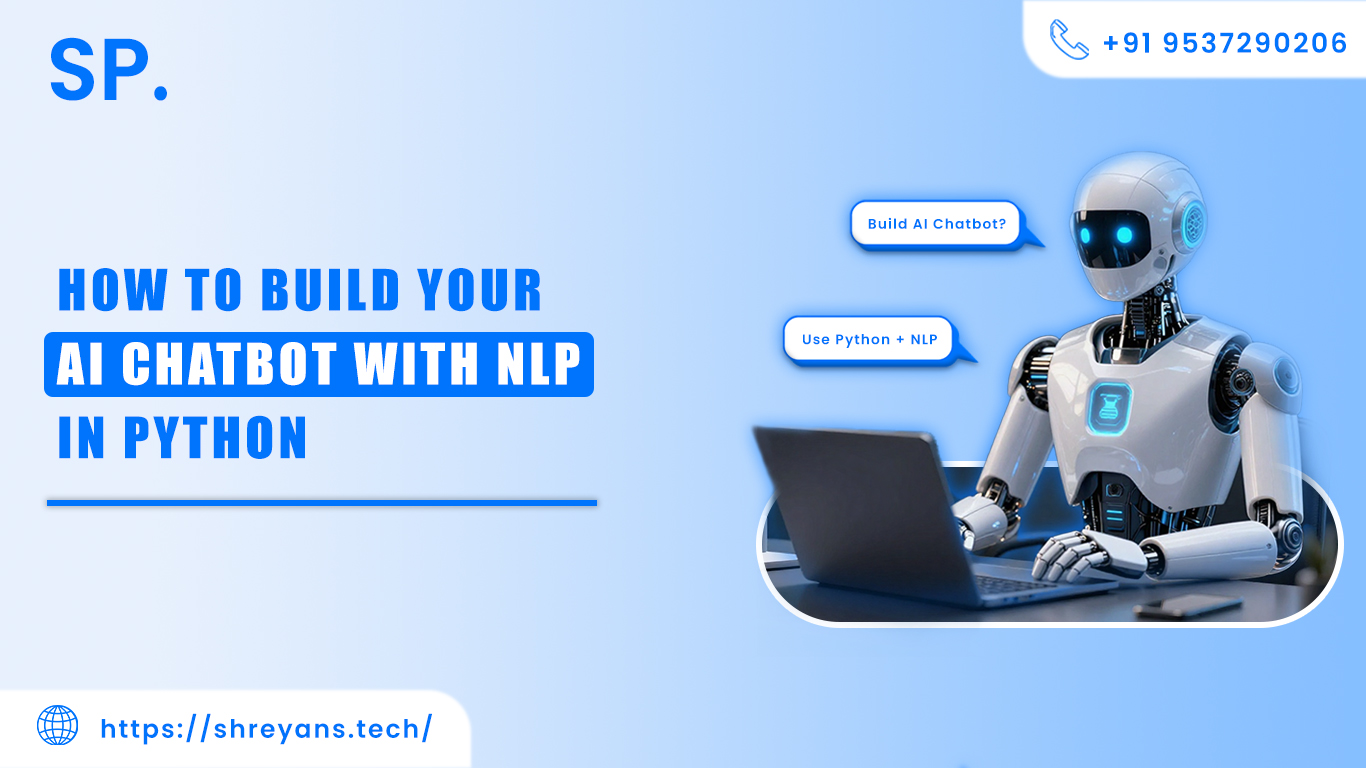
Artificial Intelligence (AI) and Natural Language Processing (NLP) have revolutionized the way we interact with machines. Chatbots, powered by NLP, can understand human language, provide instant responses, and automate tasks—making them a vital tool for businesses and developers alike.
Python, with its robust libraries and simple syntax, is the go-to language for building AI chatbots. In this guide, we’ll walk you through the process of creating an AI chatbot from scratch, covering everything you need to know to make your bot intelligent and responsive.
What is an AI Chatbot?
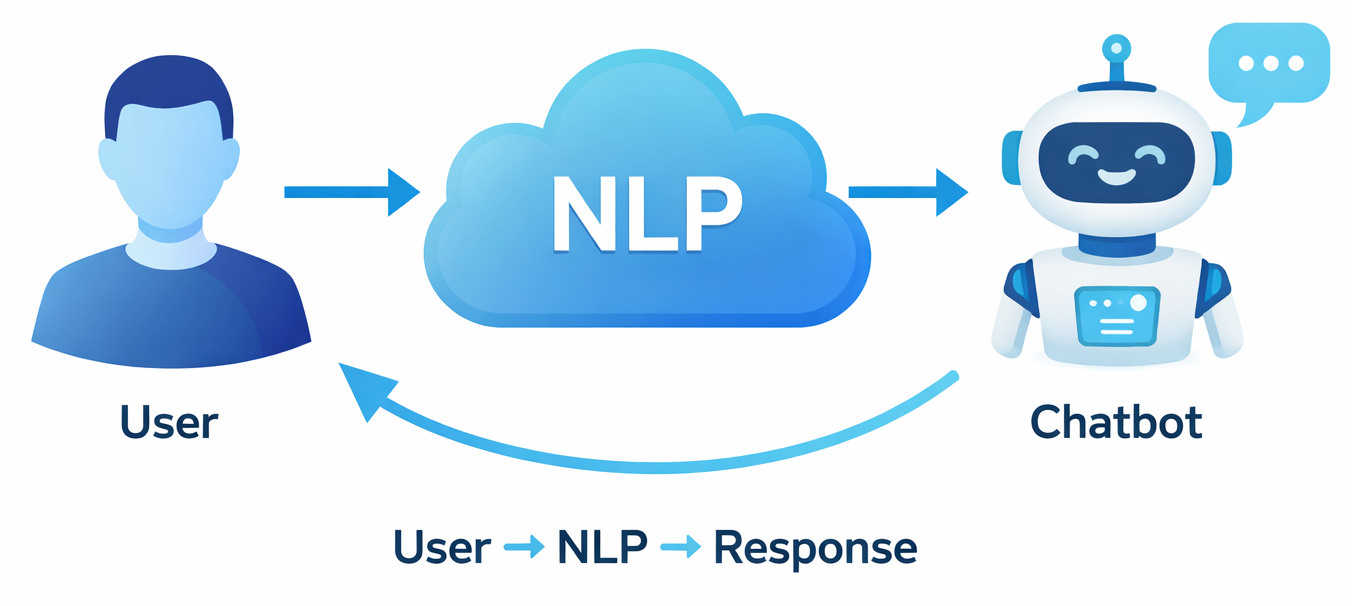
An AI chatbot is a software application that can converse with humans in natural language. Unlike rule-based chatbots that follow fixed commands, AI chatbots use NLP and machine learning to understand context, learn from interactions, and provide meaningful responses.
Benefits of AI Chatbots:
• 24/7 Availability for Users
AI chatbots never sleep. They provide round-the-clock assistance, meaning users can get help at any time, whether it’s during business hours or in the middle of the night. This is especially valuable for global businesses that have customers in different time zones, ensuring no query goes unanswered.
• Instant Response to Customer Queries
-
Chatbots can process and respond to questions immediately. Unlike human agents who may take time to reply, bots can deliver instant solutions, improving user satisfaction and reducing waiting time. Quick responses also help prevent customer frustration and can boost conversion rates in sales or support scenarios.
• Personalized User Interactions
Modern AI chatbots use NLP and data from previous interactions to tailor conversations to each user. They can remember preferences, suggest relevant products or services, and adapt their tone and responses based on the user’s behavior. This makes users feel valued and enhances the overall experience.
• Reduces Workload on Human Agents
Chatbots can handle repetitive and routine tasks like answering FAQs, booking appointments, or processing orders. This frees human employees to focus on complex issues that require emotional intelligence, creativity, or decision-making. It increases overall team productivity and reduces operational costs.
• Improves User Engagement
-
By providing timely, relevant, and interactive responses, AI chatbots keep users engaged on websites, apps, or platforms. Engaged users are more likely to explore services, make purchases, or return for future interactions. Chatbots can also proactively start conversations, offer recommendations, or provide updates, further enhancing engagement.
Prerequisites
Before building your chatbot, ensure you have the following:
Basic Knowledge of Python Programming
-
You should be familiar with Python syntax, data types, loops, functions, and object-oriented concepts. Understanding these basics will help you implement chatbot logic, handle data, and work with libraries effectively.
Python 3.x Installed on Your System
Ensure that Python 3.x is installed, as most modern AI and NLP libraries are compatible with Python 3. You can download it from the official Python website and verify the installation using python --version in your terminal or command prompt.
Required Libraries
-
• NLTK (Natural Language Toolkit): Used for processing and analyzing human language data.
-
• NumPy: Handles numerical operations and array manipulations efficiently.
-
• TensorFlow or PyTorch: These are frameworks for creating and training AI models.
-
• Flask: A lightweight web framework to deploy your chatbot as an online service.
Install them easily via pip:
pip install nltk numpy tensorflow flask
An IDE (Integrated Development Environment)
Using an IDE like VS Code, PyCharm, or Jupyter Notebook will make coding easier. They provide features like code completion, debugging, and visualization, which are helpful when building and testing your chatbot.
Step 1: Install Required Libraries
Use pip to install the necessary Python libraries:
pip install nltk numpy tensorflow flask
• NLTK (Natural Language Toolkit)
NLTK is a powerful library for processing and analyzing human language. It helps with tasks like tokenization (splitting text into words), lemmatization (converting words to their base forms), removing stopwords, and more. These features make it easier for your chatbot to understand and process user input effectively.
• NumPy
NumPy is essential for handling numerical data and arrays efficiently. It provides fast operations on large datasets, which is crucial when preparing text data for machine learning models or performing mathematical computations during training.
• TensorFlow / PyTorch
These are popular deep learning frameworks for building AI models. They allow you to create neural networks that can classify intents, generate responses, or even learn from conversations. TensorFlow is widely used for production-level deployment, while PyTorch is favored for research and experimentation due to its flexibility.
• Flask
-
Flask is a lightweight web framework that allows you to deploy your chatbot online. With Flask, you can create a simple API endpoint where users can send messages and receive responses from your AI model, making your chatbot accessible via websites, mobile apps, or other platforms.
Step 2: Prepare Your Dataset
Your chatbot needs data to understand conversations. You can use:
•Custom Datasets (FAQ Pairs)
You can create your own dataset by collecting frequently asked questions and their answers relevant to your business or project. This ensures that your chatbot provides accurate and context-specific responses tailored to your users.
• Public Datasets
If you don’t have your own data, you can use publicly available datasets like the Cornell Movie Dialogs Corpus or Chatbot Corpus. These datasets contain large collections of conversations and sample dialogues, which help train your chatbot to understand natural language and respond appropriately.
A sample dataset structure:
{
"intents": [
{
"tag": "greeting",
"patterns": ["Hi", "Hello", "Hey"],
"responses": ["Hello!", "Hi there!", "Greetings!"]
},
{
"tag": "goodbye",
"patterns": ["Bye", "See you later"],
"responses": ["Goodbye!", "See you soon!"]
}
]
}
Step 3: Text Preprocessing with NLP
Before training, clean and preprocess your text data:
• Tokenization
Tokenization is the process of breaking down a sentence into individual words or tokens. For example, the sentence "Hello, how are you?" becomes ["Hello", ",", "how", "are", "you", "?"]. This step helps the chatbot analyze each word separately.
• Lemmatization
-
Lemmatization converts words to their base or root form. For example, "running" becomes "run" and "better" becomes "good". This ensures that different forms of a word are treated as the same, improving the chatbot’s understanding.
• Removing Punctuation and Stopwords
Punctuation marks and common words like "is", "the", "and" (called stopwords) usually don’t add meaningful information. Removing them cleans the text and makes it easier for the AI model to focus on important words for intent detection and response generation.
Example in Python:
import nltk
from nltk.stem import WordNetLemmatizer
nltk.download('punkt')
nltk.download('wordnet')
lemmatizer = WordNetLemmatizer()
def preprocess(sentence):
tokens = nltk.word_tokenize(sentence)
tokens = [lemmatizer.lemmatize(word.lower()) for word in tokens]
return tokens
Step 4: Create Training Data
Convert the text into a format suitable for machine learning:
import numpy as np
from sklearn.preprocessing import LabelEncoder
# Sample patterns and tags
patterns = ["Hi", "Hello", "Bye", "See you"]
tags = ["greeting", "greeting", "goodbye", "goodbye"]
# Encode labels
lbl_encoder = LabelEncoder()
lbl_encoder.fit(tags)
y = lbl_encoder.transform(tags)
Step 5: Build and Train Your Model
Use a simple neural network for intent classification:
from tensorflow.keras.models import Sequential
from tensorflow.keras.layers import Dense, Dropout
model = Sequential()
model.add(Dense(128, input_shape=(len(patterns),), activation='relu'))
model.add(Dropout(0.5))
model.add(Dense(64, activation='relu'))
model.add(Dense(len(set(tags)), activation='softmax'))
model.compile(loss='sparse_categorical_crossentropy', optimizer='adam', metrics=['accuracy'])
model.fit(X_train, y_train, epochs=200)
This model will classify the intent of user input, allowing the bot to respond appropriately.
Step 6: Create Chatbot Responses
Once the model predicts an intent, map it to predefined responses:
import random
def get_response(tag):
for intent in intents['intents']:
if intent['tag'] == tag:
return random.choice(intent['responses'])
Step 7: Test Your Chatbot
Test the bot in your Python console:
while True:
message = input("You: ")
if message.lower() == "quit":
break
tag = predict_intent(message) # Model prediction function
response = get_response(tag)
print("Bot:", response)
Step 8: Deploy Your Chatbot (Optional)
Use Flask to make your chatbot accessible online:
from flask import Flask, request, jsonify
app = Flask(__name__)
@app.route("/chat", methods=["POST"])
def chat():
user_msg = request.json["message"]
tag = predict_intent(user_msg)
response = get_response(tag)
return jsonify({"response": response})
app.run(port=5000)
Now your chatbot can interact with users via a web app.
FAQs About AI Chatbots
Q1. What is the difference between AI chatbots and rule-based chatbots?
Ans: AI chatbots use NLP and machine learning to understand context and learn from interactions, while rule-based chatbots follow predefined rules and commands.
Q2. Which Python libraries are best for building chatbots?
Ans: NLTK, TensorFlow, PyTorch, NumPy, and Flask are commonly used.
Q3. Can I integrate my chatbot into websites or apps?
Ans: Yes, using Flask, Django, or APIs, you can integrate the chatbot into websites, mobile apps, or even messaging platforms.
Q4. Is it possible to improve my chatbot over time?
Ans: Absolutely. AI chatbots can be continuously trained with new conversations to improve accuracy and responses.
Conclusion
Building an AI chatbot with NLP in Python is easier than ever with the right tools and approach. By following this guide, you can create intelligent chatbots capable of understanding human language, automating responses, and improving user engagement.
Whether it’s for customer support, personal projects, or learning purposes, chatbots are an essential skill for developers in 2026. Start simple, gather user interactions, and gradually enhance your chatbot to make it more intelligent and responsive.



Shreyans Padmani
Shreyans Padmani has 5+ years of experience leading innovative software solutions, specializing in AI, LLMs, RAG, and strategic application development. He transforms emerging technologies into scalable, high-performance systems, combining strong technical expertise with business-focused execution to deliver impactful digital solutions.